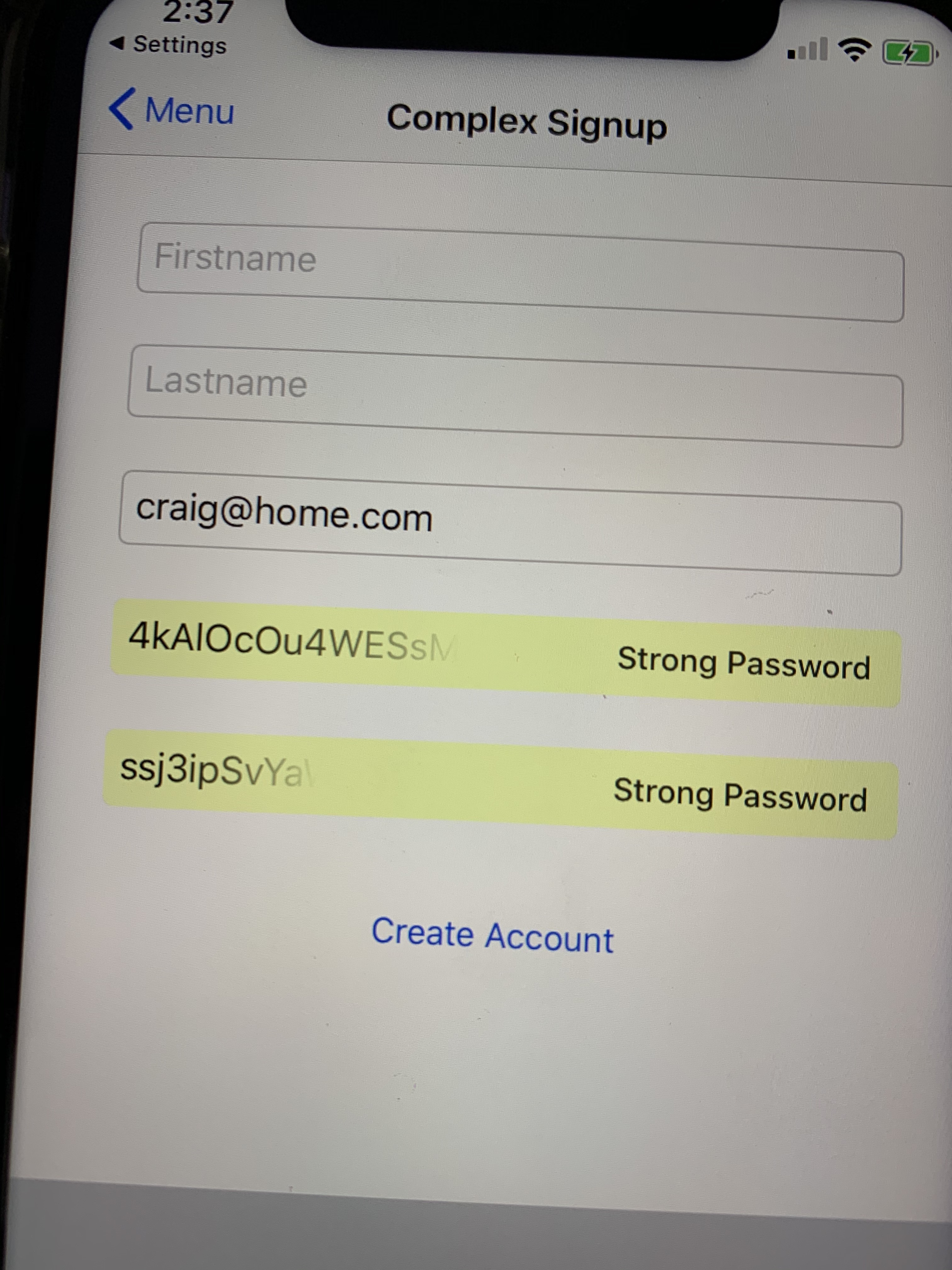
When implementing a sign up UI with more than one password text field. it is possible to get strong passwords suggested that don't match one another despite both having their textContentType set to .newPassword
See screen shot:
1, Using the sample app (when correctly configured for associated domains)
2, To recreate this issue you need to use a combination of auto fill from the quick type bar auto fill strong passwords.
3, You need to have a previous password stored on the device so it will appear in the quick type bar
4, Choose the menu option Complex signup
5, Tap in the password textfield (this should auto fill both password textfields)
6, Choose Use strong password
7, Tapping in the username textfield should show quick type suggestions but doesn't so first tap on the last name textfield then the username textfield and you should see quick type suggestions.
8, Choose your previously stored password from the quicktype bar
9, But select "Choose My Own Password" and not choose the strong password
10, This will only clear one of the two previously auto filled strong passwords (like below)
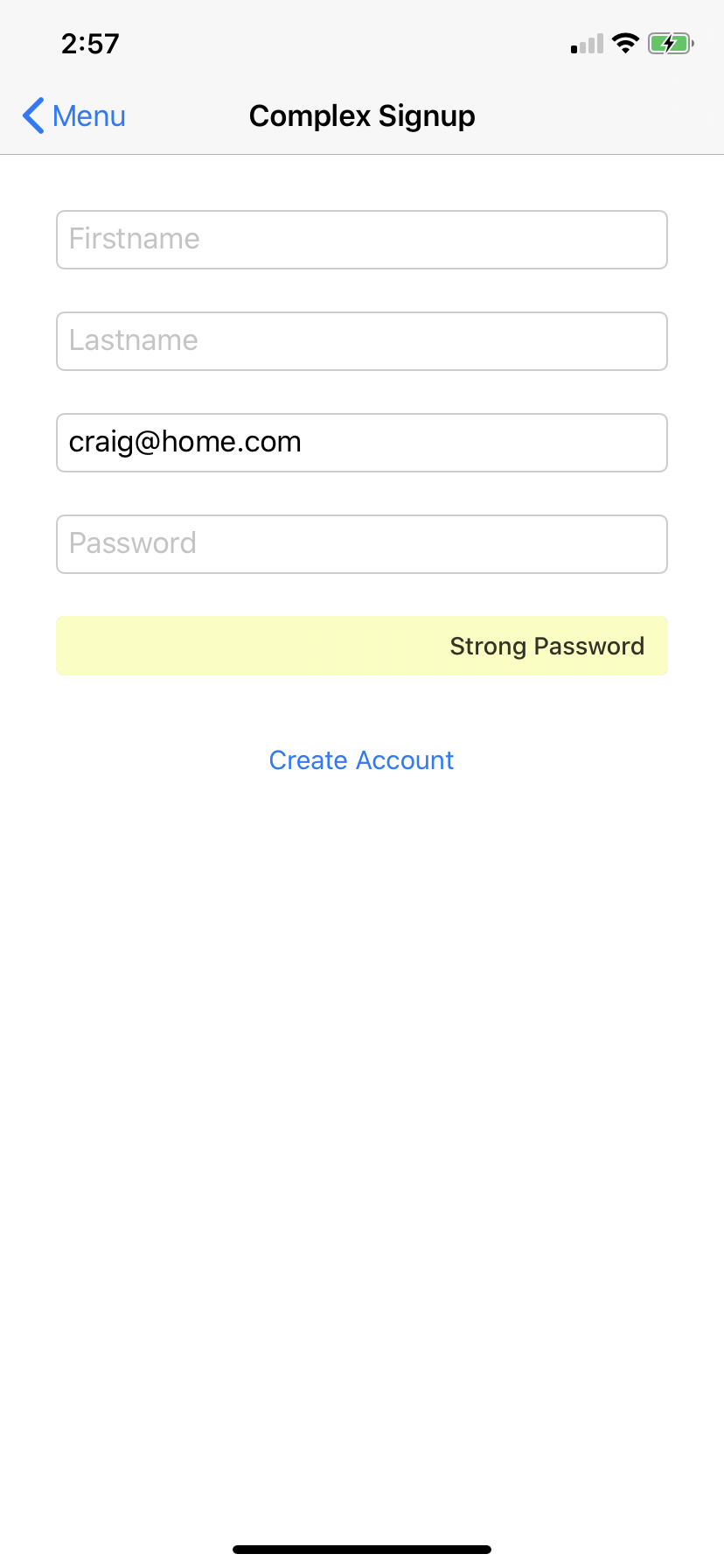
11, Tap in the lastname textfield then tap in the username textfield and select the suggested username from the quicktype bar in the keyboard
12, You should see two strong password suggestions that don't match
I think there is a lot of stuff going on behind the scenes that is tracking which textfield was the first responder before the current textfield was made the first responder. This makes navigating UI very inconsistent as sometimes there are quick type suggestions on the keyboard and other times there is nothing there.
Also what ever triggers strong passwords from being filled isn't matching the code that clears them somehow.
When implementing a sign up UI with more than one password text field. it is possible to get strong passwords suggested that don't match one another despite both having their
textContentTypeset to.newPasswordSee screen shot:
1, Using the sample app (when correctly configured for associated domains)
2, To recreate this issue you need to use a combination of auto fill from the quick type bar auto fill strong passwords.
3, You need to have a previous password stored on the device so it will appear in the quick type bar
4, Choose the menu option
Complex signup5, Tap in the password textfield (this should auto fill both password textfields)
6, Choose
Use strong password7, Tapping in the username textfield should show quick type suggestions but doesn't so first tap on the last name textfield then the username textfield and you should see quick type suggestions.
8, Choose your previously stored password from the quicktype bar
9, But select "Choose My Own Password" and not choose the strong password
10, This will only clear one of the two previously auto filled strong passwords (like below)
11, Tap in the
lastnametextfield then tap in theusernametextfield and select the suggested username from the quicktype bar in the keyboard12, You should see two strong password suggestions that don't match
I think there is a lot of stuff going on behind the scenes that is tracking which textfield was the first responder before the current textfield was made the first responder. This makes navigating UI very inconsistent as sometimes there are quick type suggestions on the keyboard and other times there is nothing there.
Also what ever triggers strong passwords from being filled isn't matching the code that clears them somehow.